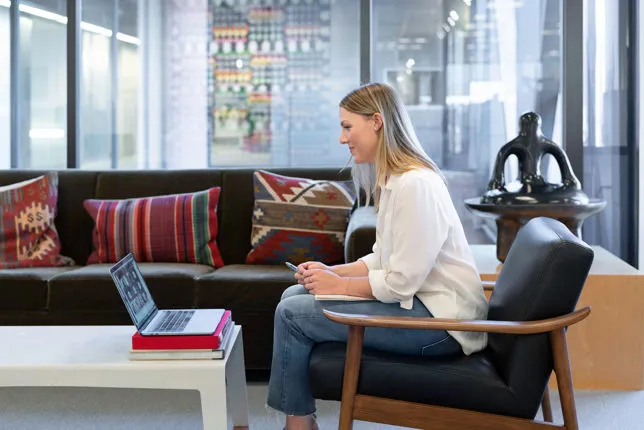
Communicating Effectively via Video: The Language of the Body
Body language (BL), a key part of non-verbal communication, includes eye contact, facial expressions, hand and arm movements, posture, and leg positioning. When verbal and non-verbal cues align, communication is clear and engaging; when they conflict, non-verbal signals dominate.
To optimize your video presence, first identify the effect you want to create and the message you intend to convey. Avoid forcing body language disconnected from your emotions, as this creates perceptible mismatches and reduces trustworthiness. Body language always reflects and influences your emotional state—changing posture or gestures can shift your feelings and mindset.
Focus on viewing every interaction as an opportunity. Concentrate on the benefits for both you and your audience to foster positive emotions, which viewers can perceive and share.
Key Body Language Tips for Video:
• Eye Contact: Look into the webcam before speaking to establish an emotional connection. Hold eye contact for about 3 seconds to appear open, confident, and friendly.
• Facial Expressions: Use expressiveness to engage and persuade. Smiling is essential, conveying positivity, success, and confidence. Nodding signals understanding and approval.
• Gestures (Hands and Arms): Hand gestures accompany speech about 90% of the time. They emphasize points, clarify ideas, and increase empathy. Even if gestures are partially out of frame, continue using them naturally, as they aid your speech internally and externally. Keep hands relaxed, palms visible, signaling openness and sincerity. Use the central upper body area to keep gestures visible and effective.
• Legs: Legs and feet reveal unconscious emotions. Relaxed legs (e.g., ankles crossed) indicate comfort and ease.
• Posture: Sit straight, facing the screen with open shoulders to improve presence and voice quality. Lean slightly forward to express interest and engagement. When standing, distribute weight evenly, maintain an open posture, and keep your head aligned for confidence. Turning sideways may seem distant, while a slight head tilt shows friendliness and invites dialogue.
What to Avoid:
• Avoid unconscious “adapter gestures” like touching your face or hair, which signal anxiety or discomfort.
• Do not fidget with objects such as pens, which distract attention.
• Avoid pointing with a finger; use an open hand instead.
• Minimize physical barriers (like desks or microphones) between you and the viewer, as they hinder energy flow.
• Avoid crossing arms or legs tightly, as these signal defensiveness or insecurity. Instead, readjust crossed legs to a more open position to encourage confidence and openness.
It’s important to prepare thoroughly for your virtual meeting by visualizing the interaction and your best version of yourself. This attitude and awareness naturally enhance the quality of your communication and the connection you establish with your audience.



Imagement offre Training e Corsi di Leadership, Personal Energy Management e Time Management per supportare professionisti ambiziosi nella presa di consapevolezza delle proprie capacità per la migliore performance, in modo efficace e sostenibile.
